
Effortless Building brings Java's favourite multi-block placement mod to Bedrock! Place walls, floors, spheres, cylinders & more in seconds.

Achievements Friendly & Survival Friendly Lightweight Performance - Full Custom Block Support - 13 Languages Build smarter, not harder.
Effortless Building is a Bedrock addon inspired by the iconic Java mod of the same name by Requioss. Instead of placing blocks one at a time, you pick a build mode, click two or three times, and entire structures appear: lines, walls, floors, spheres, cones, diagonal ramps, and more, all while consuming the correct blocks from your survival inventory. A live Coach teaches you the addon step by step, a Tutorial Book opens right in your world, and all of it speaks 13 languages.
PC Gameplay (By Eckosoldier)
Mobile Gameplay (Android/IOS)
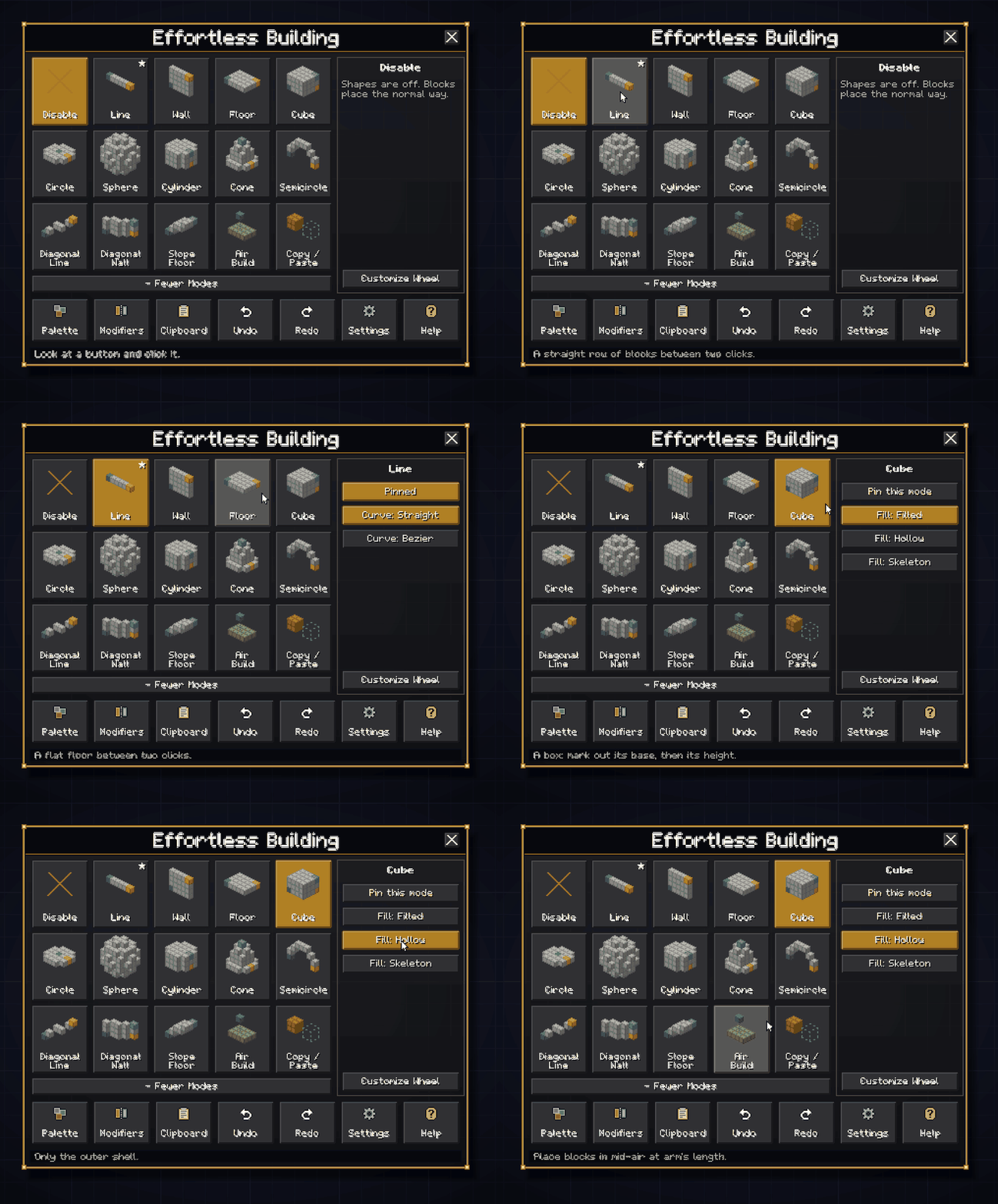
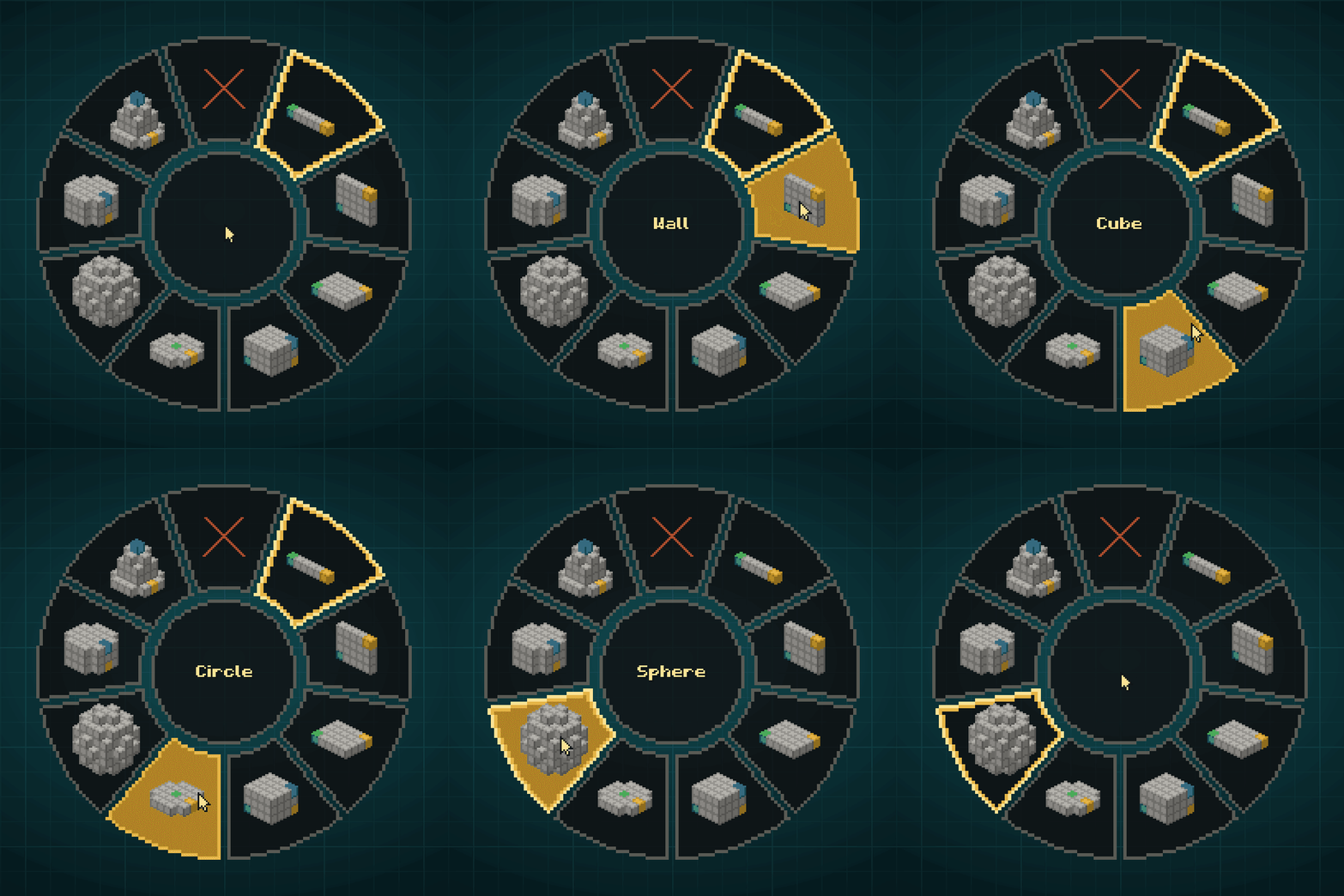
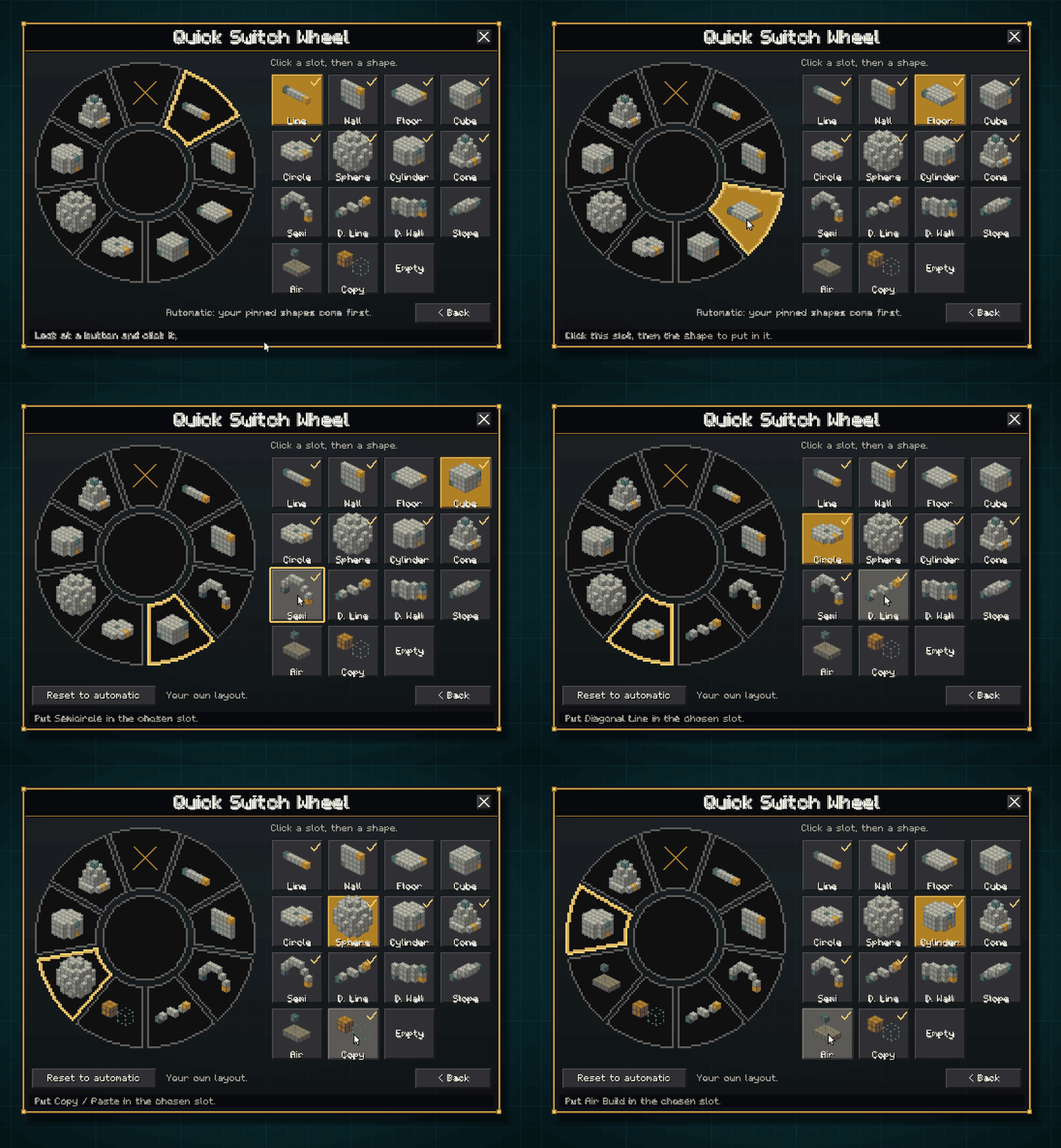


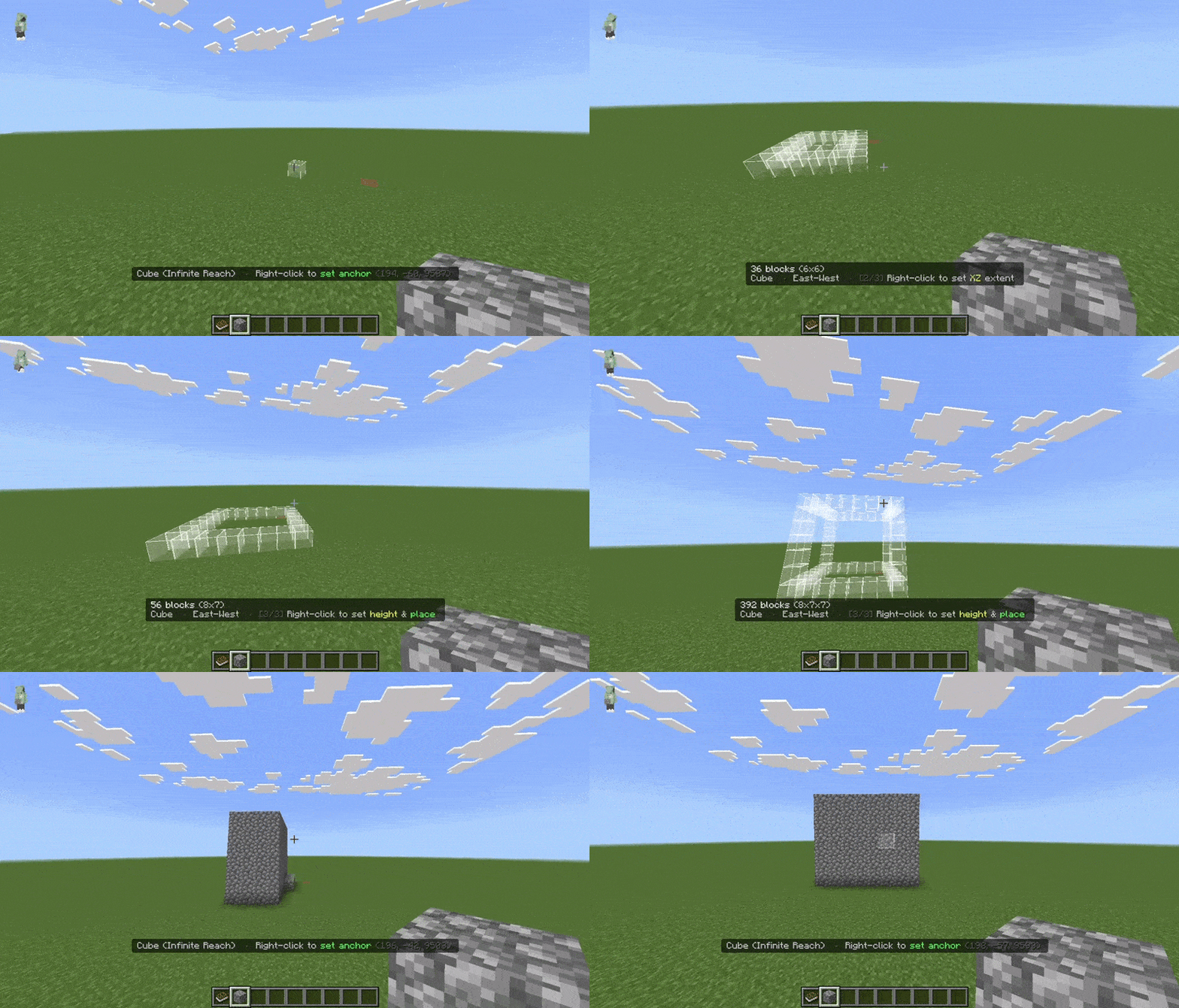
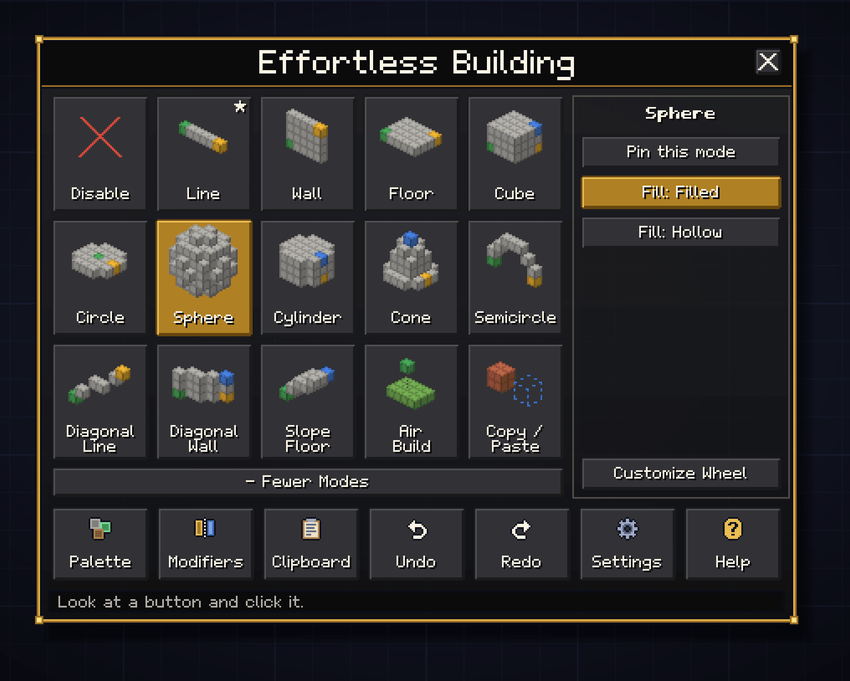
Every mode works in both Survival and Creative. 2-step modes take two right-clicks (anchor then build). 3-step modes take three (anchor, XZ footprint, then height + build). Each mode has its own options on the right of the menu.
2-Step Modes






3-Step Modes




Special
Bezier curves (Line & Diagonal Line): right-click to add waypoints one by one, sneak+click to confirm; the addon traces a smooth 3D Catmull-Rom spline through all your points.
Starter Shapes: new players can start with just Line, Wall, Floor and Cube, and open the full list with + More Modes whenever they are ready.
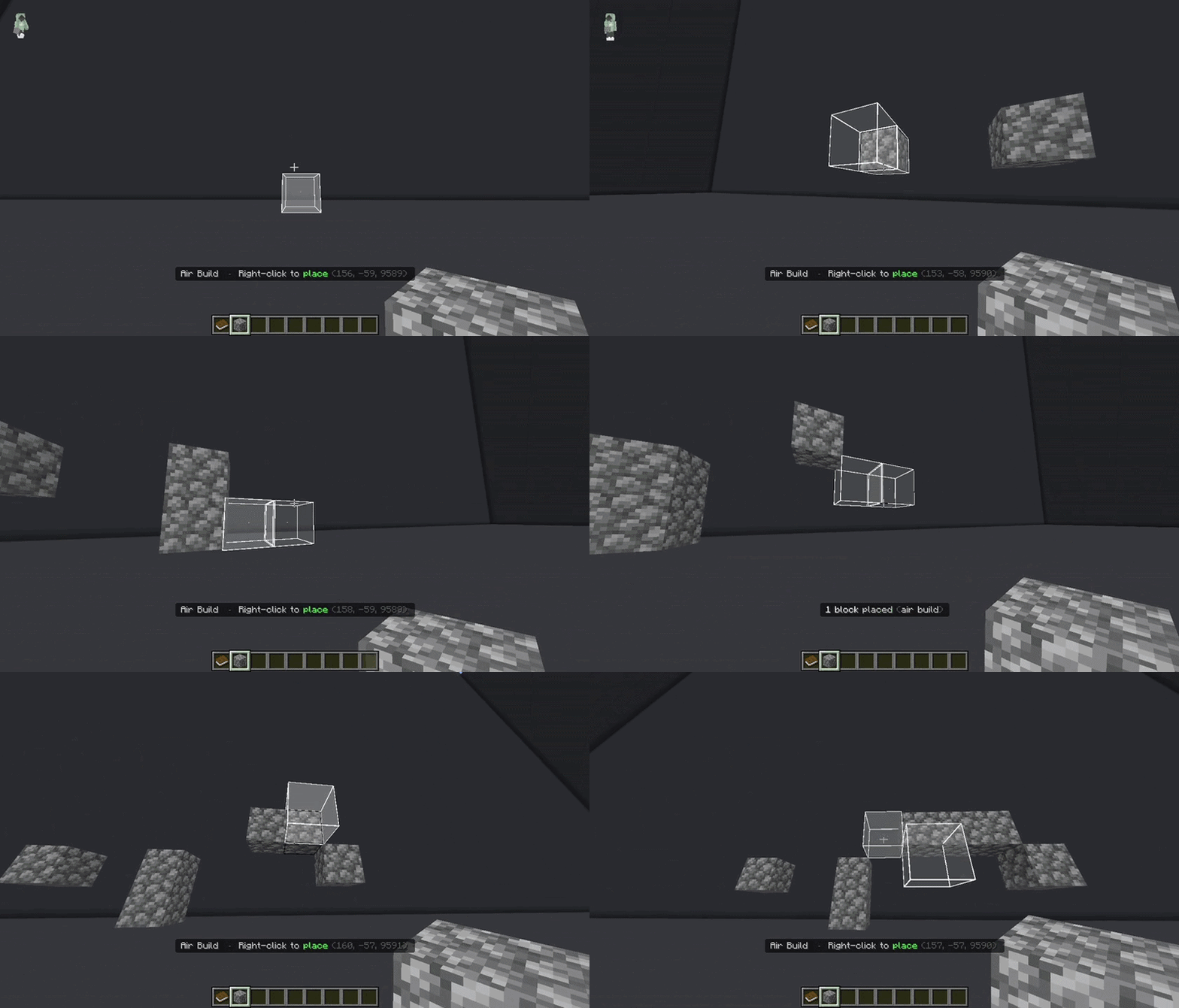
Air Building
Cube Shape
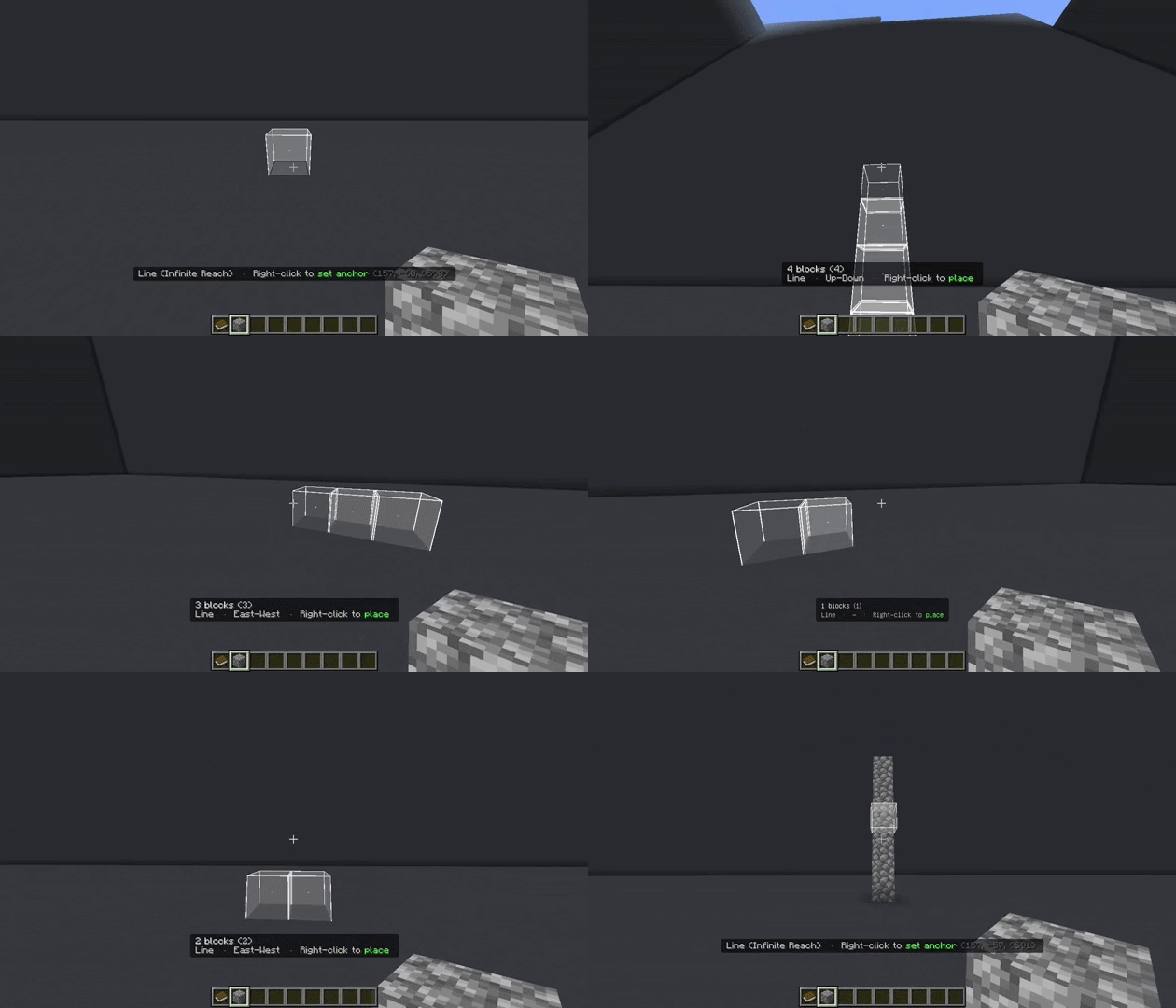
Line Mode
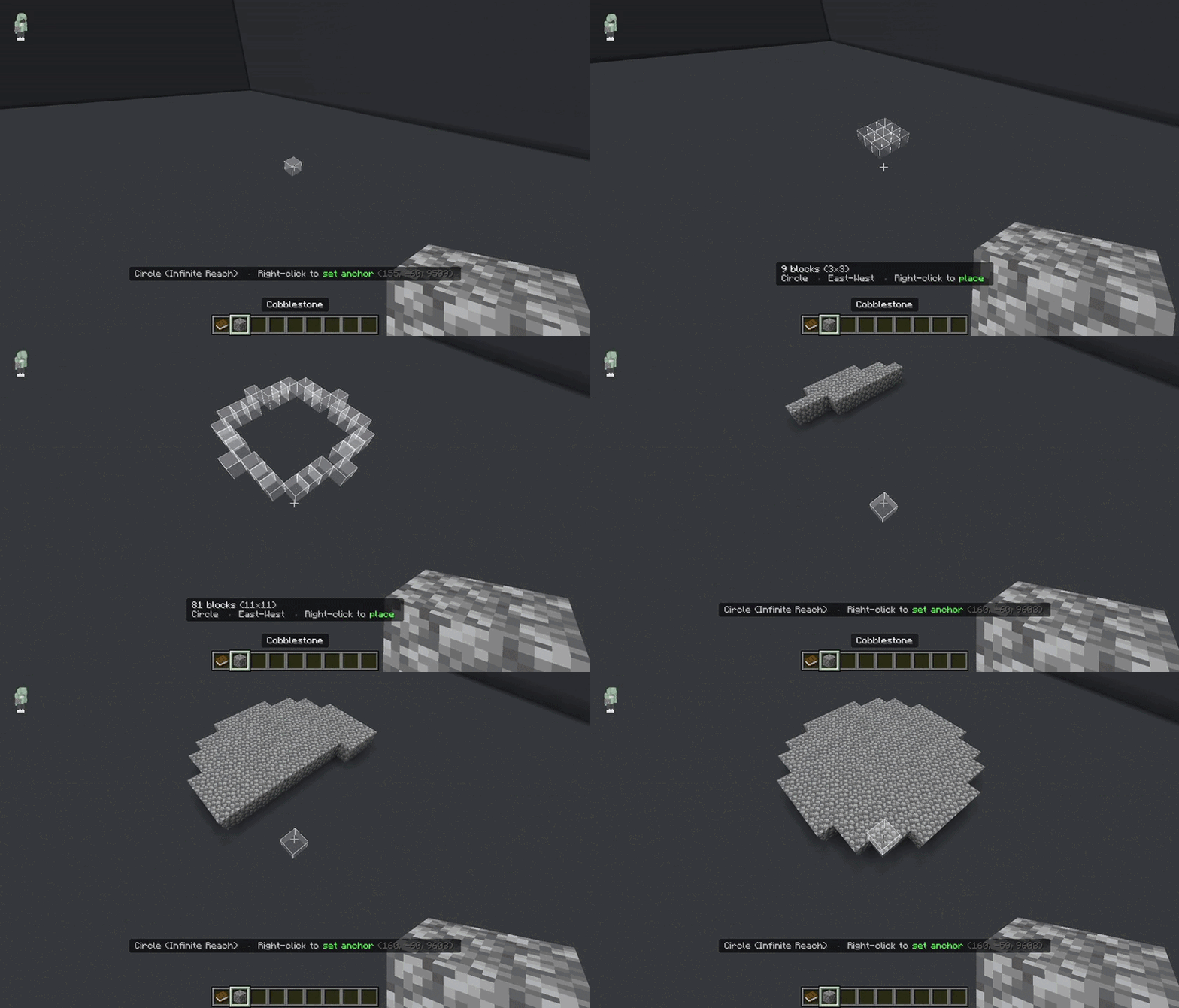
Circle Shape
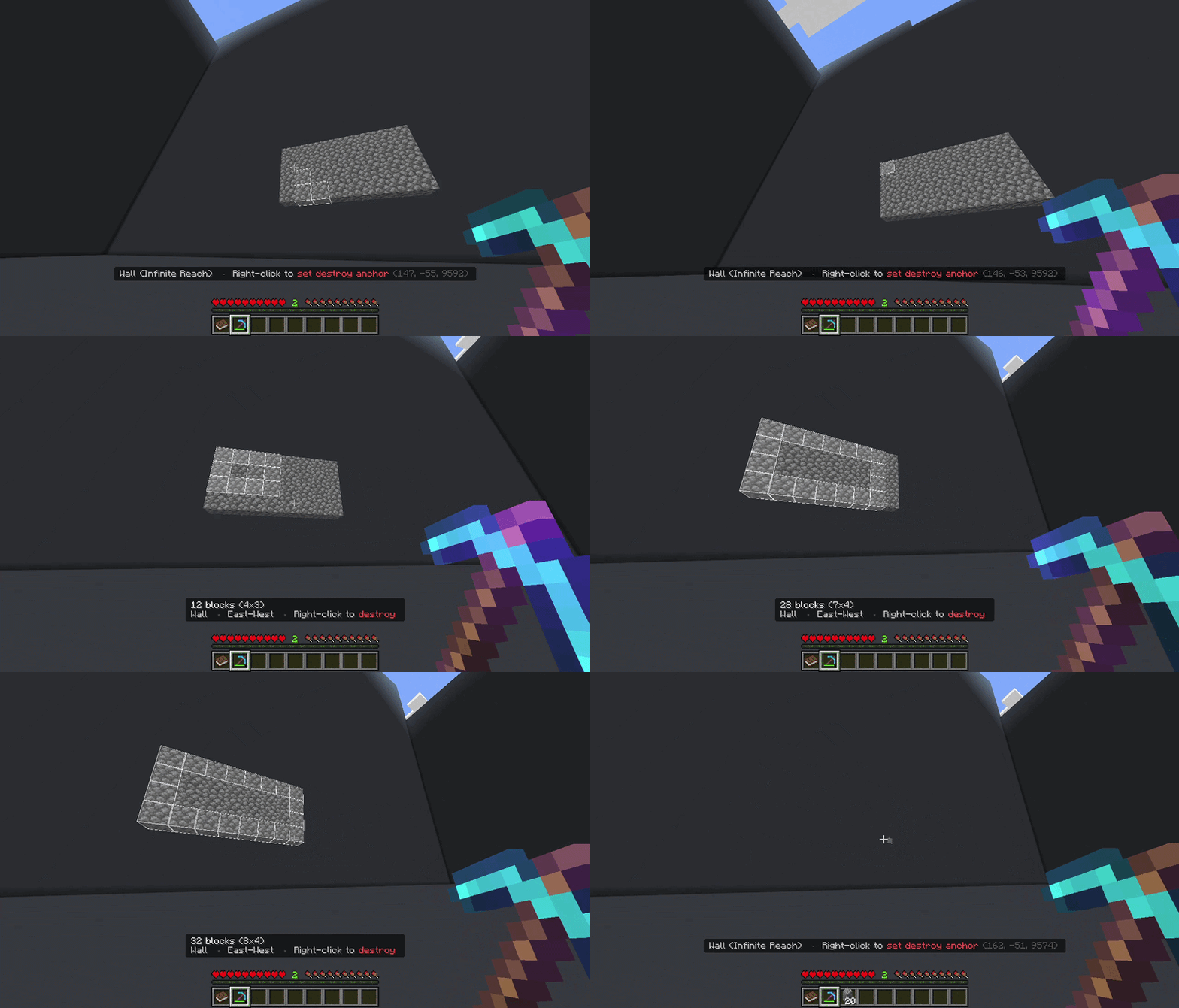
Destroy Mode
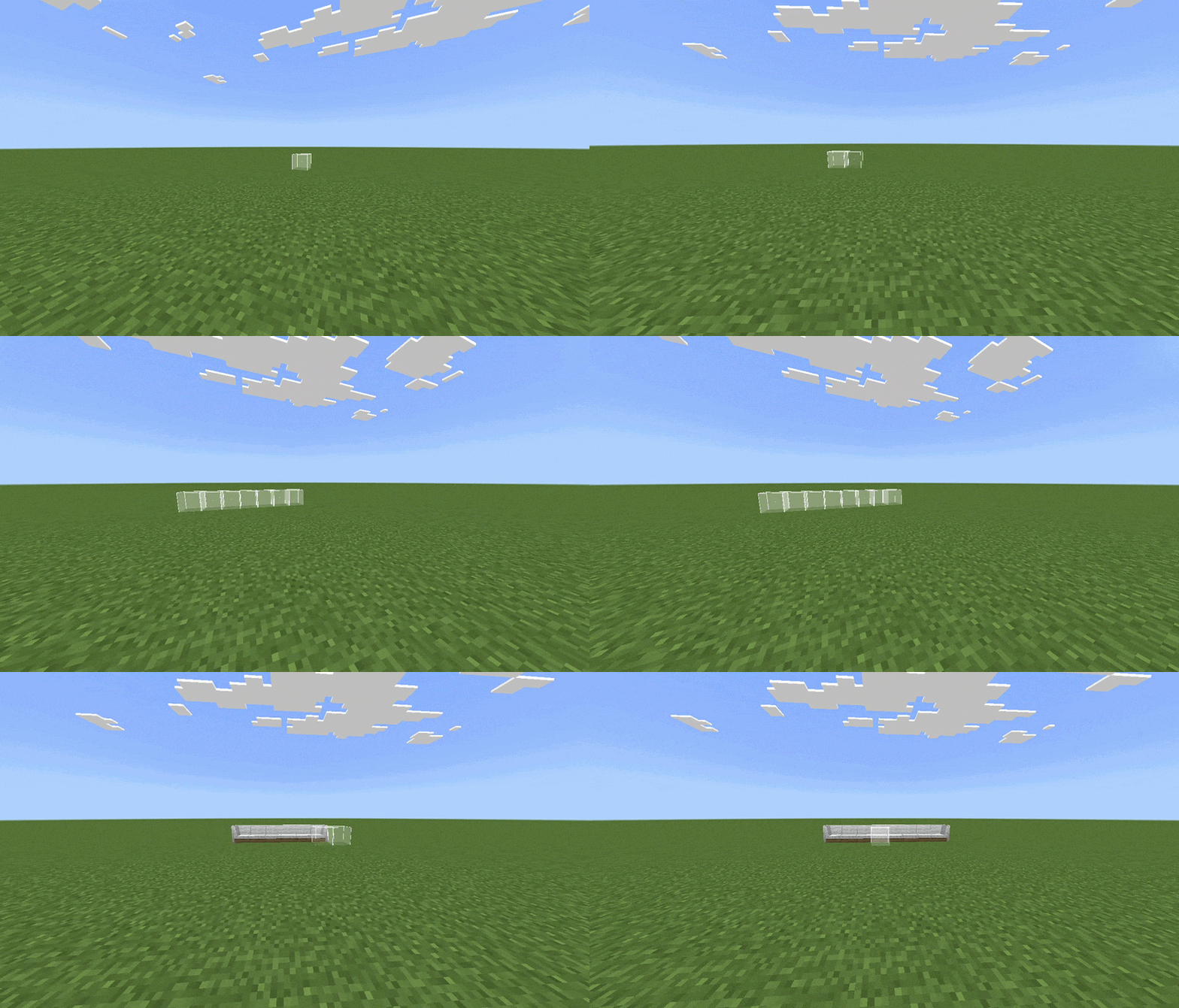
Custom Blocks Support
Everything starts from the Building Book. Hold it and the action bar shows its controls.
Prefer the palette on right-click? Turn on Swap Book Clicks in Settings > Controls.
Open with right-click on the Building Book or /menu.
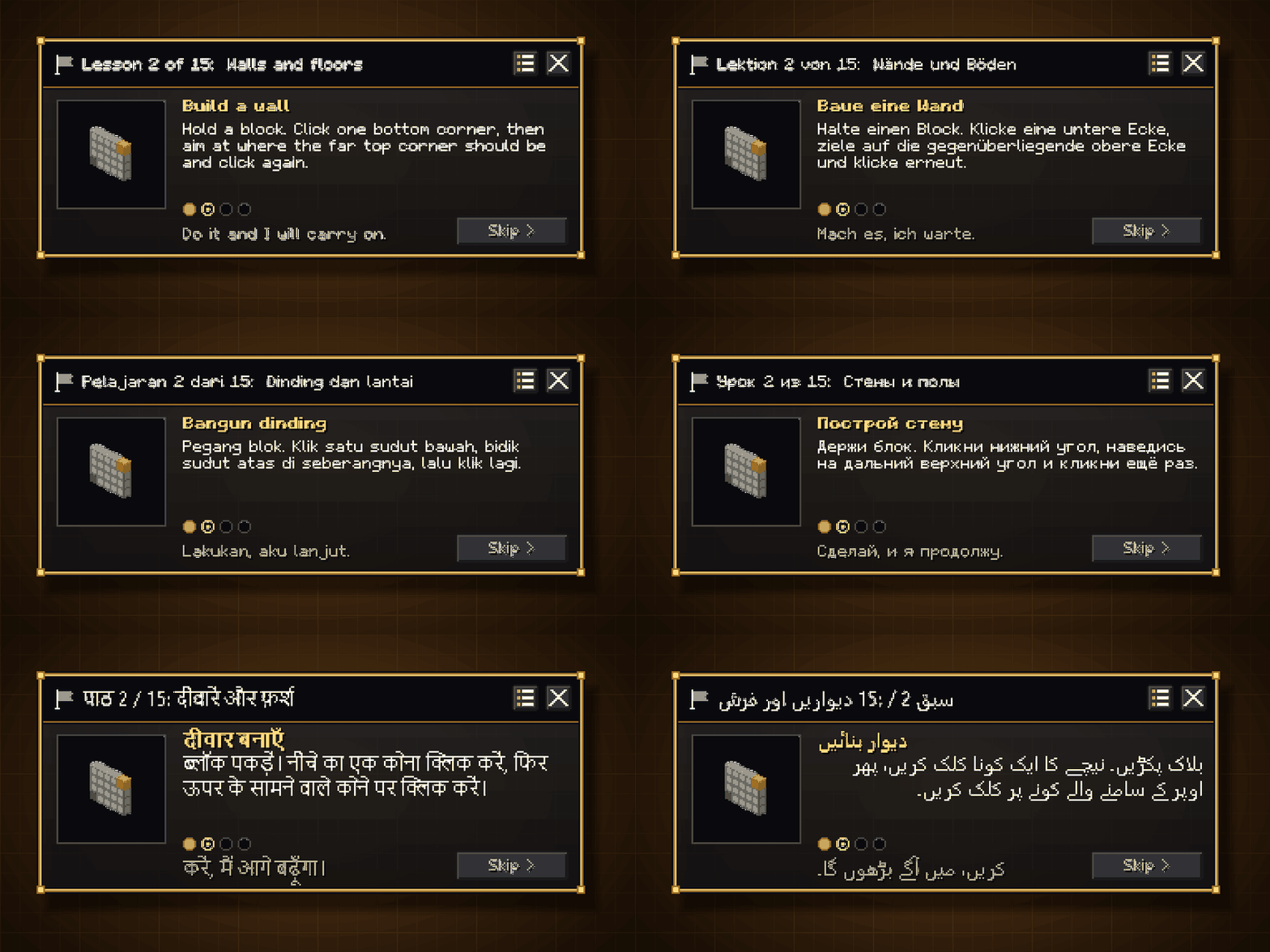
The Coach is a live tutorial: 15 lessons, from your first line to copy and paste and the Quick Switch Wheel. Its card floats beside you and moves on only once you have done the step. Put it away with its X and bring it back where you left off with /guide or the Help button. Pick any lesson again from the lesson list.
The Tutorial Book explains everything with pictures. Hold it and it opens in front of you; right-click for the next page, hit the book to go back, sneak to jump a chapter. Lost it? Get it again from Help or with /tutorial.
Both, and all the floating menus, follow your Book Language, which you can change any time in Settings or with /language.
Deferred Shape Calculation: working out a large shape means running the geometry, the modifier pipeline, and a block check for every single position, and that res
Instead of always building with the block you right-clicked, you can source blocks from your hotbar, your full inventory, or both, and paint them across your placement using one of 24 distribution patterns:
Weight can be calculated by item count, slot count, or unique block (equal weight regardless of quantity). Open the palette with Left-click on the Building Book or /palette.

Select a region with 3 clicks (XZ corner 1, XZ corner 2, then height). Works on blocks or in the air. Sneaking on click targets the block itself rather than its face, giving precise control in tight spaces. Once the region is marked, choose Copy or Cut.

Never lose a copied build again. Your newest copy always waits in Last Copy, and you can keep up to 19 more in named save slots that persist across sessions and world reloads.
/clipboard or the Clipboard button in the menu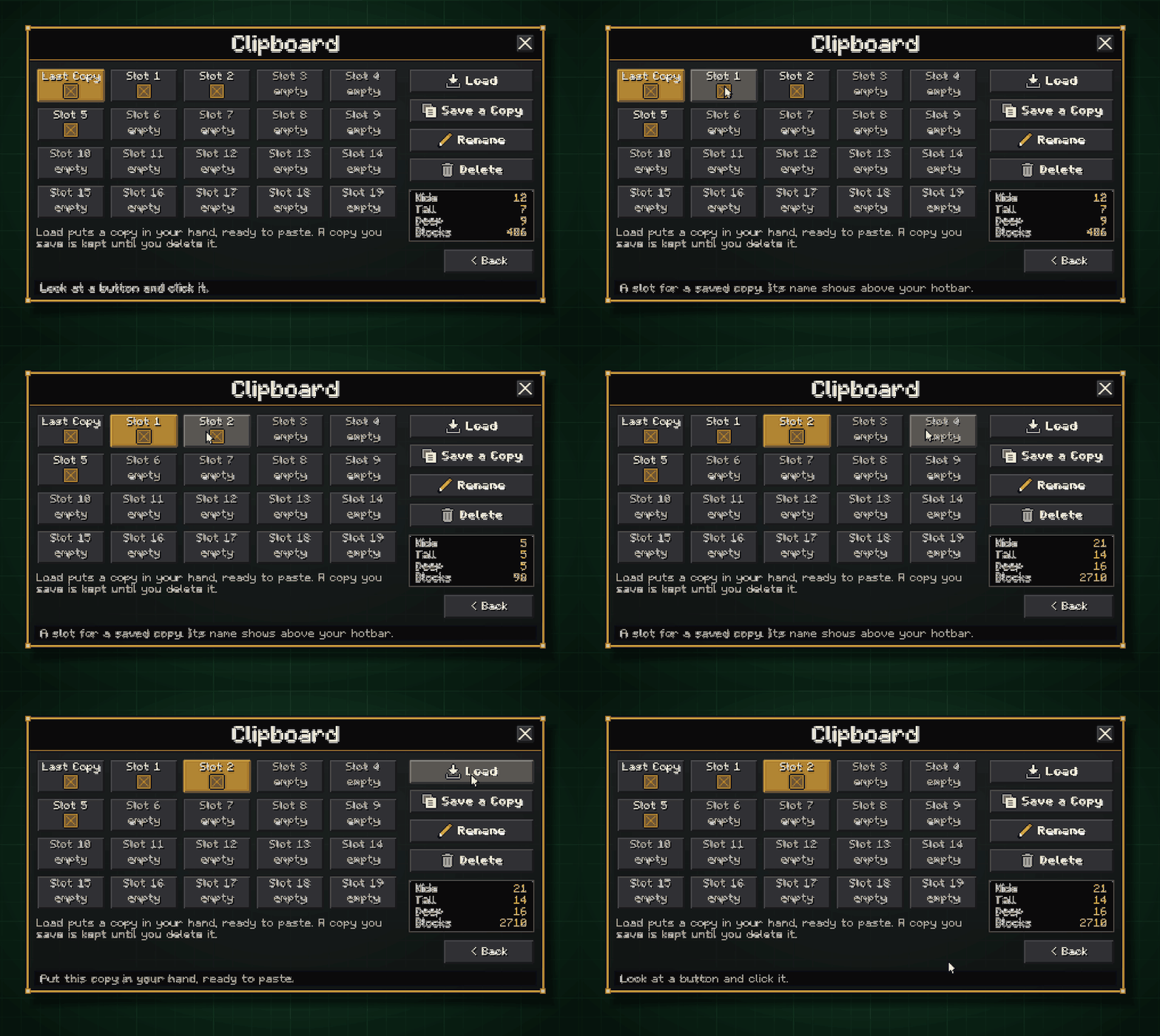
Hold a pickaxe, axe, or shovel and right-click to set a destroy anchor, then right-click again to destroy every block in the shape. Works with any active build mode.
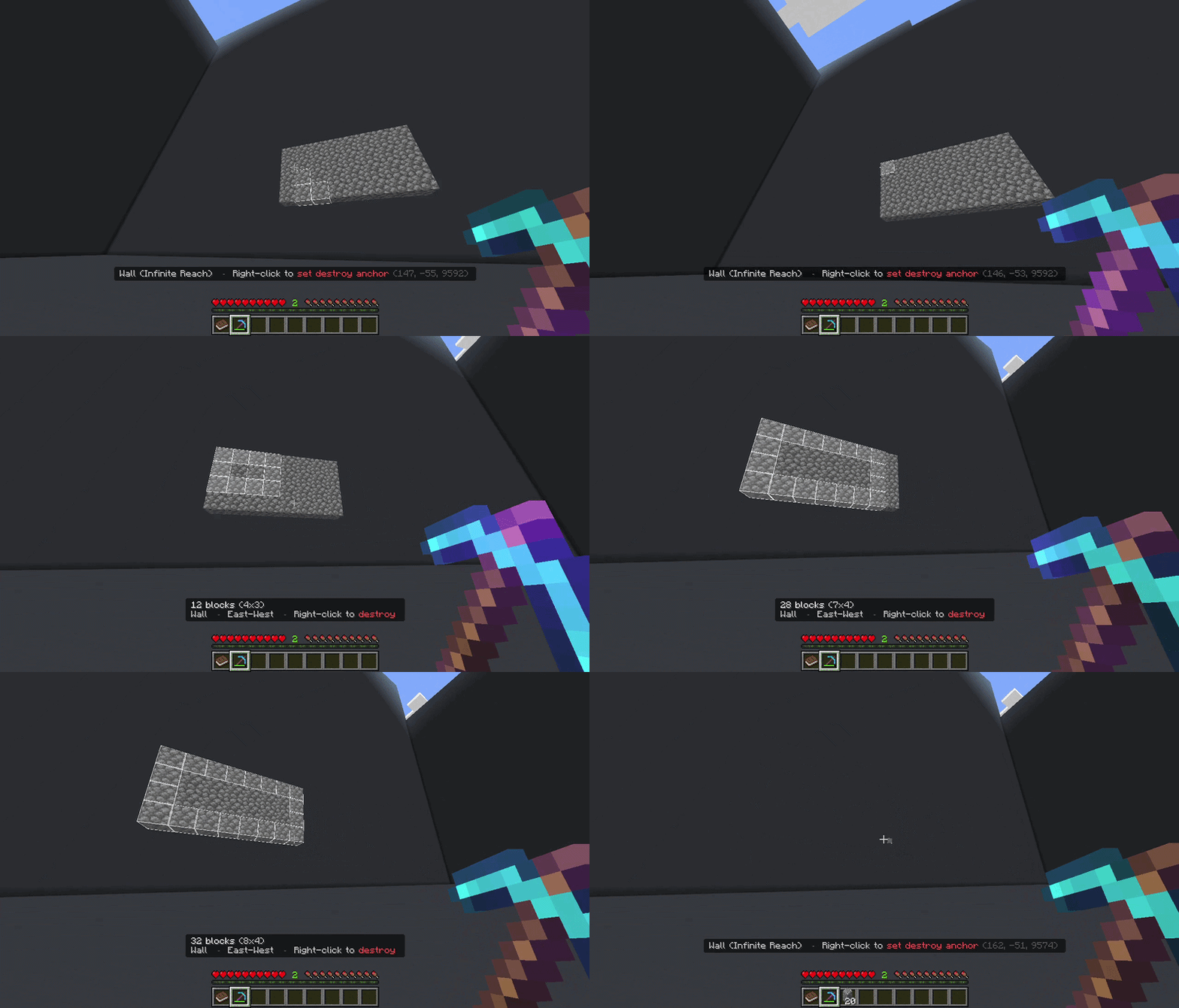
While an anchor is set, the addon renders a real-time preview of exactly what will be placed before you confirm. Four preview styles to choose from:
Destroy Mode has its own separate preview style setting.
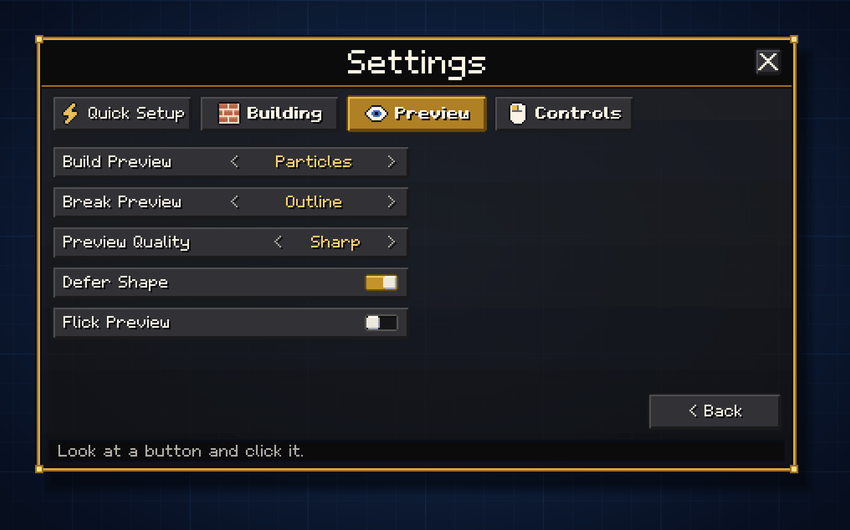
Preview refresh rate is adjustable across 7 levels from Smooth (every tick) to Minimal (every 20 ticks), tunable per player in Settings > Preview or via /config.
Selection Zoom: while your anchor is placed, the camera smoothly zooms in as your selection grows so you can see exactly where you're building. Zoom start distance (1-50 blocks) and max zoom level (1-200) are configurable per player. The camera resets automatically when you confirm, cancel, or rejoin.
Made a mistake? In Creative mode, the Undo and Redo buttons in the menu (or /undo and /redo) step back up to 10 operations and forward again.

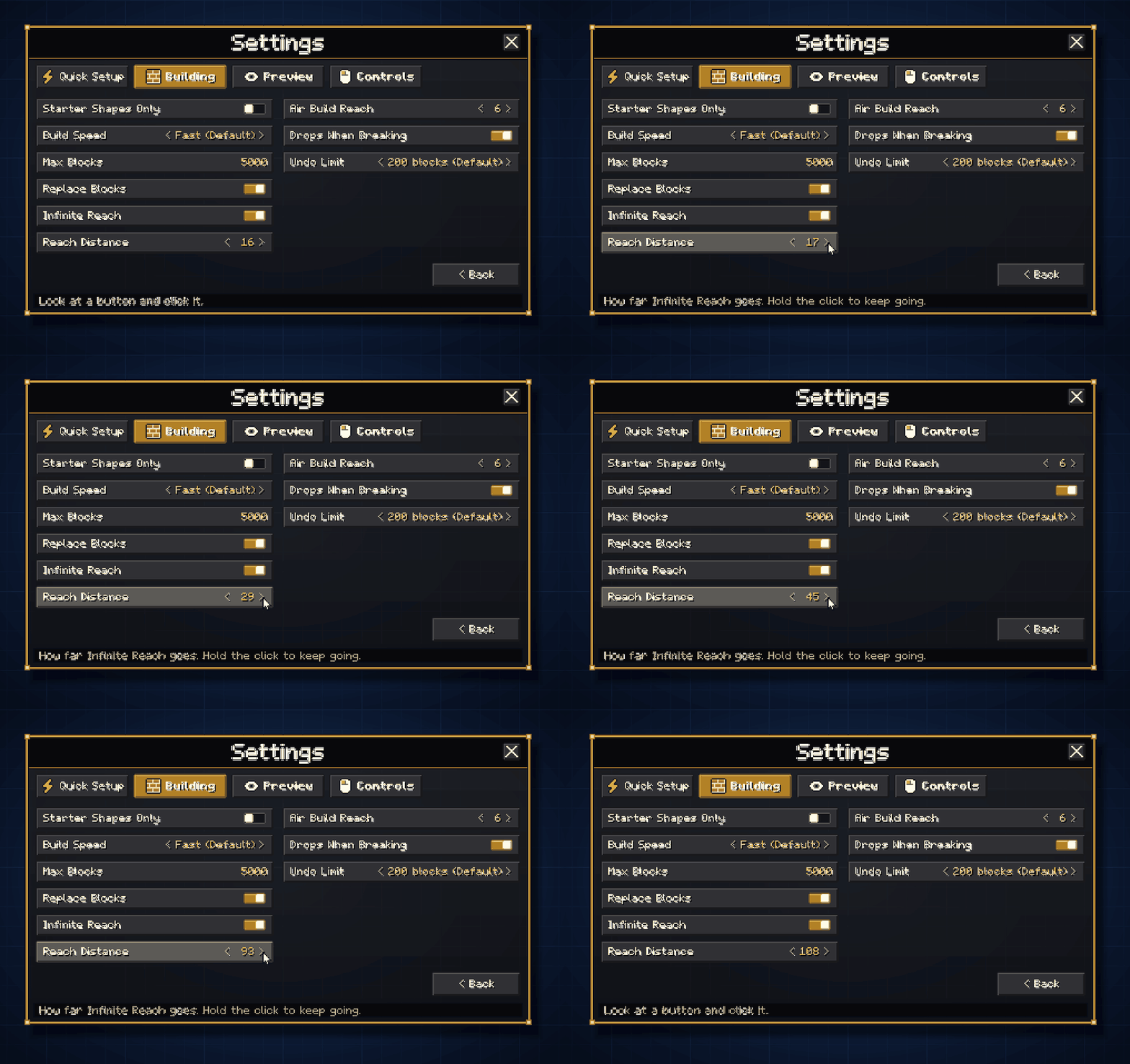
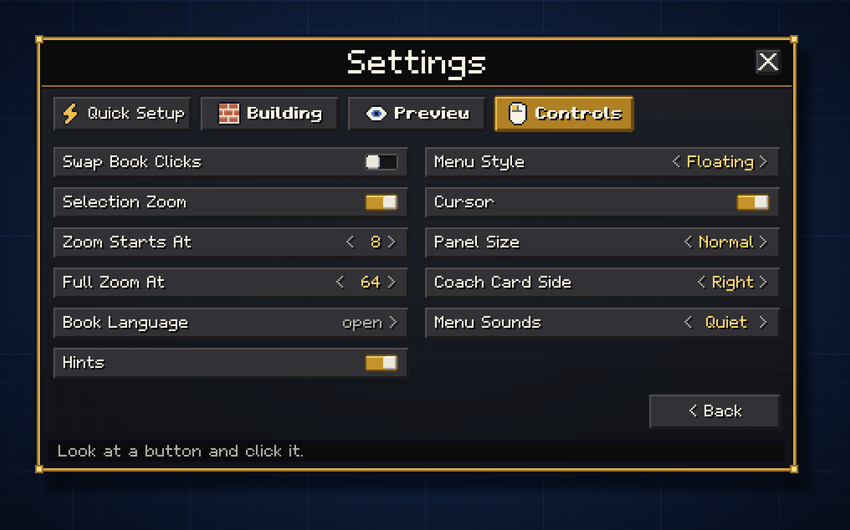
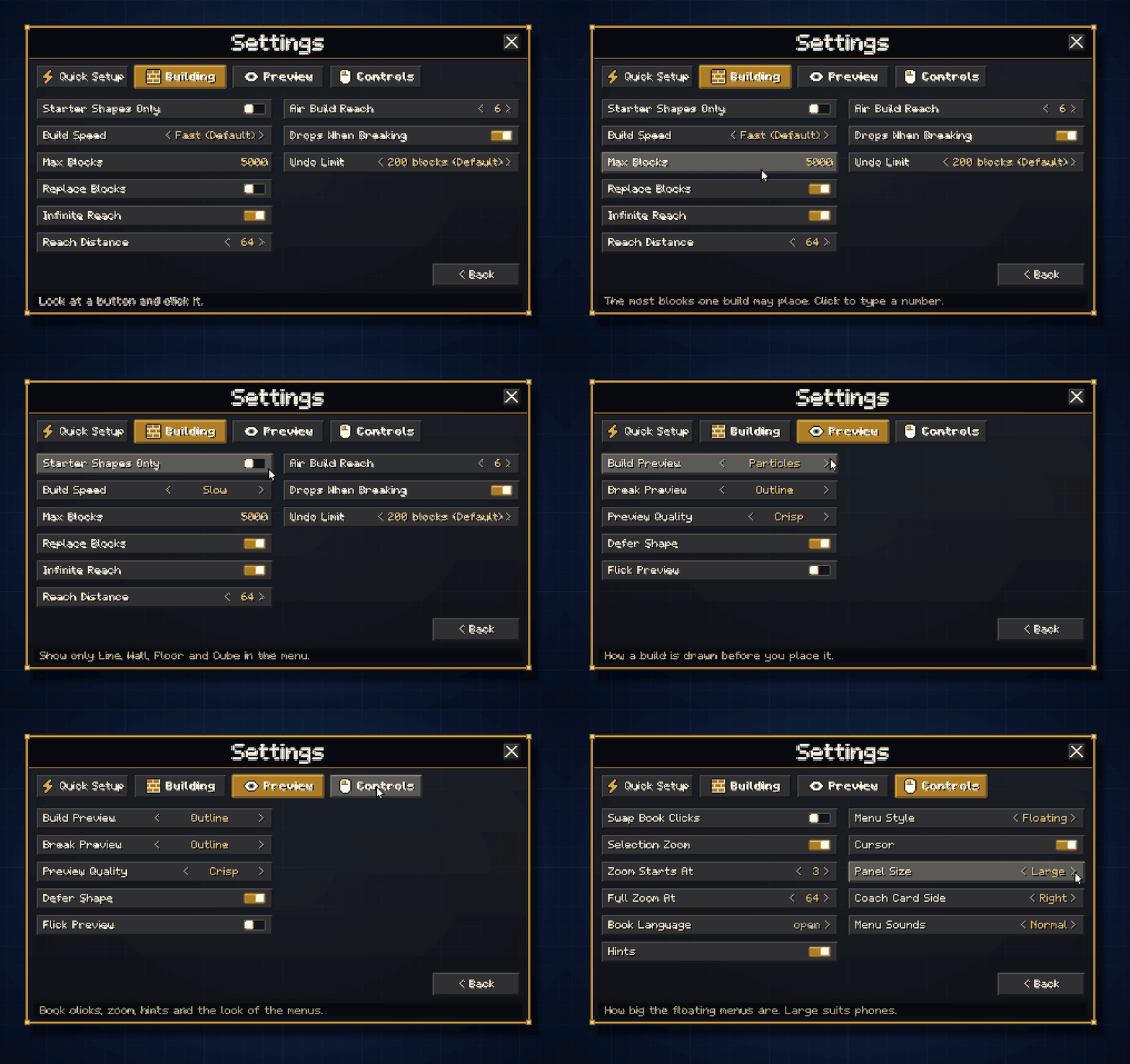
All settings are saved per player and persist across sessions. Open with /settings or Sneak + Right-click the Building Book. They are grouped into Quick Setup, Building, Preview and Controls; tap a setting to change it and the line at the bottom explains it.
Building
Preview
Controls (new in v5)
(Visible only to operators and players with the eb:admin tag)
The first player who joins a new world is automatically granted admin. On servers, run /tag @s add eb:admin once to access the admin section.
admin)/menu - Open the menu/settings - Open player settings/palette - Open the block palette/clipboard - Open the Clipboard Manager/config - Open personal config (preview quality)/setup - Run Quick Setup again/guide - Start or stop the Coach/tutorial - Get the Tutorial Book/language - Choose the language of the book, the coach and the menus/undo - Undo last operation (Creative only)/redo - Redo last operation (Creative only)/getbook - Get a new Building Book (costs 5 XP levels)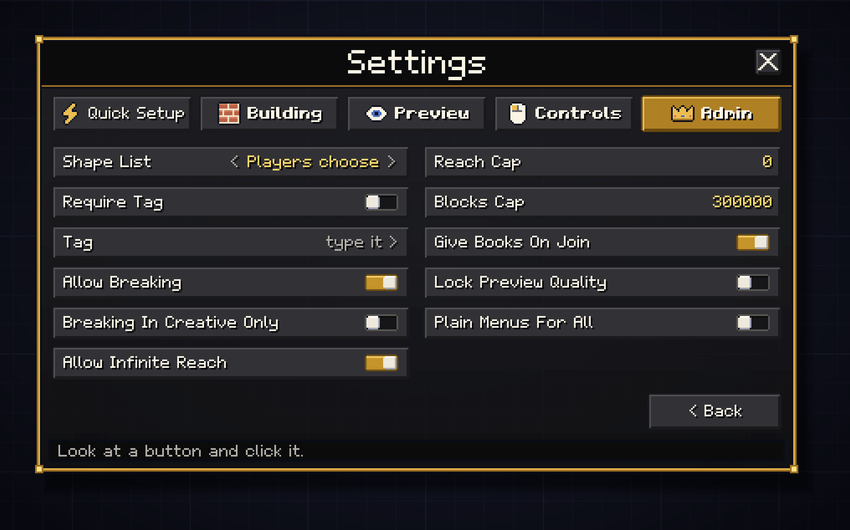

Is this addon achievements friendly? Yes.
Does this work in Survival? Yes. The addon checks your inventory before every placement and only places as many blocks as you're carrying. Undo and Redo are Creative-only, but all build modes and Destroy Mode work fully in Survival.
Does it work on Realms and servers? Yes, as long as the Behavior Pack is applied to the world. Admin controls let you restrict access by tag and limit which features players can use.
I don't like the floating menus. Set Menu Style to Plain in Settings > Controls and the addon uses the game's standard menus instead. Admins can do it for everyone with Plain Menus For All.
What languages are supported? English, Spanish, German, Portuguese, Dutch, Indonesian, Albanian, Russian, Japanese, Korean, Hindi, Telugu and Urdu. Choose yours with /language or Book Language in Settings.
Will it conflict with other addons? Effortless Building only interacts with its own custom items (the Building Book and the Tutorial Book) and does not modify any vanilla blocks, entities, or recipes. Conflicts are very unlikely.
What is the maximum blocks per operation? The default cap is 50,000 blocks. Admins can raise the server-wide ceiling up to 300,000. Players can set their personal limit anywhere up to the admin cap.
Are enchantments respected in Destroy Mode? Yes. Fortune, Silk Touch, and Unbreaking all work correctly. Fortune multiplies ore drops, Silk Touch changes what drops, and Unbreaking slows tool wear.
My preview looks slow, is the addon lagging my world? Check the number in the action bar while selecting - that is your live tick rate. If it sits near 20.00 the world is running fine, and the preview is simply drawing at the rate your quality setting asks for.
What Minecraft version is required? Bedrock Edition 1.21.100 or later. Left-click (swing) to open the palette requires 1.26.0+.
Inspired by the original Effortless Building Java mod by Requioss.
 Cobbledrock
 System Dynamic Light
 Better on Bedrock
 Torch OffHand
 Raiyon's Dynamic Lightning
 Raiyon's Tree Chopper / Capitator
 Definitive Tree Capitator | Tree Chopper, Auto Replant & Custom Axes
 True Weapons!
Oct 19, 2026 · Bedrock 1.21.100+ · 4.5 MB
No comments yet.


